Commit Guard
Prevent accidental commits with the wrong Git identity in a repository.
Usage
gpx guard
Demo
Examples
Activate the guard
Navigate to your repository and run the command.
cd ~/projects/company-app
gpx guard
Expected output:
Locked this repository to the profile: 'work'
Commit guard activated! 🛡️
Trying to commit with the wrong profile
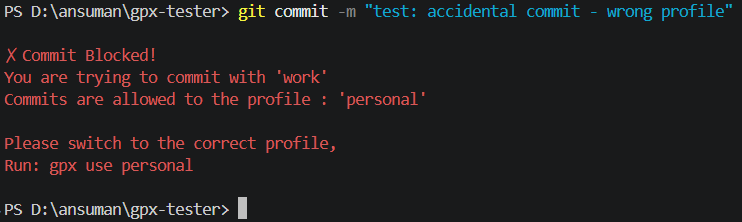
Once a repository is guarded, if you accidentally switch to the wrong profile and attempt to commit, the Commit Guard will catch it:
gpx use personal --local
git commit -m "fix: minor bug"
Expected output:
✗ Commit Blocked!
You are trying to commit with 'personal'
Commits are allowed to the profile : 'work'

Please switch to the correct profile,
Run: gpx use work
What happens behind the scenes
Running gpx guard does two things:
- Locks the profile: It writes a
gpx.expectedprofilekey into the repository's local.git/config. - Installs the hook: It creates a
pre-commithook in.git/hooks/pre-committhat runsgpx verify-commitright before Git allows the commit to be saved.
How the guard decides which profile to lock
When you run gpx guard, it determines the expected profile using this priority:
- The current local profile - if you've already run
gpx use <name> --local. - The profile detected from the remote URL - if the repo was cloned using an SSH host alias (like
github.com-work). - The current global active profile - as a fallback.
Related commands
gpx doctor- Check if the Commit Guard is active in the current repository.gpx use- Switch profiles to satisfy the Commit Guard.