Diagnose System
Diagnose profile and system health. The doctor checks your Git installation, SSH keys, GPG keys, and Commit Guard configuration.
Usage
gpx doctor [profile_name]
Options
| Option | Description |
|---|---|
--json | Return structured JSON output |
Examples
Check all profiles
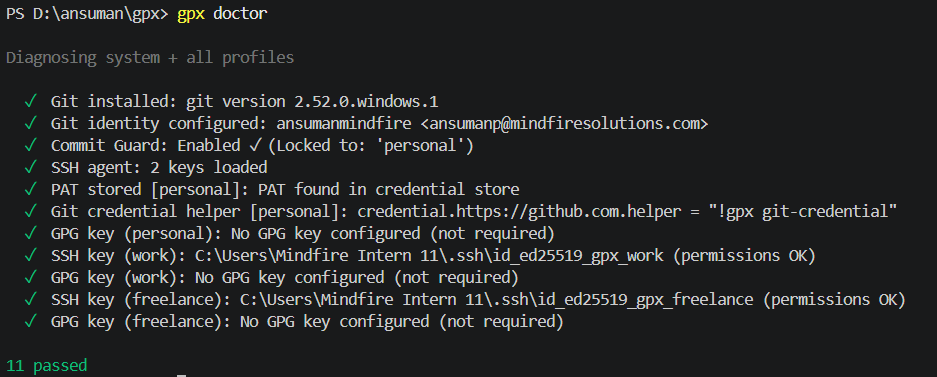
gpx doctor
Expected output:
Diagnosing system + all profiles

  ✓ Git installed: 2.39.2
  ✓ Git identity configured: Ada Lovelace ada@company.com
  ✓ SSH agent: 2 keys loaded
  ✓ SSH key (work): strict (0600)
  ✓ GPG key (work): not set
  ✓ SSH key (personal): strict (0600)
  ✓ GPG key (personal): not set
  ✓ Commit Guard: Enabled ✓ (Locked to: 'work')

8 passed, 0 warnings, 0 failed
Check specific profile
Checking a specific profile also includes a "Repo remote match" check to ensure your current repository's remote URL uses the correct gpx host alias.
gpx doctor work
Expected output:
Diagnosing work

  ✓ Git installed: 2.39.2
  ✓ Git identity configured: Ada Lovelace ada@company.com
  ✓ SSH agent: 2 keys loaded
  ✓ SSH key (work): strict (0600)
  ✓ GPG key (work): not set
  ✓ Repo remote match: Matches active profile 'work'
  ✓ Commit Guard: Enabled ✓ (Locked to: 'work')

7 passed, 0 warnings, 0 failed
Commit Guard Check
When running gpx doctor, the output includes a Commit Guard status if you are inside a Git repository:
- Guarded:
✓ Commit Guard: Enabled ✓ (Locked to: 'work') - Hook installed, but profile missing:
✗ Commit Guard: Hook installed, but expected profile is missing. Run 'gpx guard' - Not guarded:
! Commit Guard: Disabled ! (Run 'gpx guard' to enable)
Related commands
gpx guard- Lock a repository to prevent commits from the wrong profile.gpx current- See which profile is currently active.